Vehicle Enquiry Free UK Vehicle Check
Enter any UK registration for an instant MOT check — full test history, expiry dates, advisories, recorded mileage and tax status from official government records.
What Is a DVLA Vehicle Enquiry?
A DVLA vehicle enquiry is a free lookup that returns the official registration and specification details the DVLA holds for any UK vehicle, using only its number plate. It reveals the make, model, colour, fuel type, engine size, CO₂ emissions, year of first registration and more. In short, it confirms exactly what a vehicle is, according to the government’s own records.
Specifically, the Driver and Vehicle Licensing Agency (DVLA) maintains the central register of every vehicle licensed in the United Kingdom. Whenever a car registers, taxes, changes colour, or switches keeper, the DVLA record updates accordingly. Importantly, the DVLA publishes a defined subset of that record as open data, which means anyone can look it up free of charge with nothing more than the registration number.
Naturally, this page focuses specifically on that DVLA-held vehicle data. If you instead want a vehicle’s testing record, our MOT history check covers every test since 2005, while our homepage MOT check combines status and tax in one search.
Run your enquiry now using the search bar above.
What Information Does a DVLA Vehicle Enquiry Show?
A DVLA vehicle enquiry shows the core specification and registration data the DVLA holds against a number plate. This includes the make, model, colour, fuel type, engine capacity, CO₂ emissions figure, Euro emissions standard, year of manufacture and date of first registration. Together, these fields confirm a vehicle’s identity and help you verify that a seller’s description matches the official record.
Here is exactly what each enquiry returns, and why each field matters:
Make and Model
This field shows the manufacturer and model line the DVLA records, for example “Ford Focus” or “Volkswagen Golf”. Because this comes from the official register rather than the advert, it is a quick way to confirm a seller has described the vehicle accurately.
Colour (and Colour-Change History)
This field gives the current registered colour. Notably, the DVLA also records when a vehicle’s colour has been changed, because the law requires keepers to report a colour change. A colour that differs from the advert, or a record showing a recent change, is worth questioning, since it can occasionally indicate accident repair or, in rare cases, attempts to disguise a vehicle’s identity.
Fuel Type
The DVLA records whether the vehicle runs on petrol, diesel, hybrid, electric or other power. Moreover, this single field affects tax bands, clean-air-zone charges, insurance and running costs, so confirming it before purchase matters more than most buyers realise.
Engine Capacity (cc)
This shows the engine size in cubic centimetres. Additionally, it feeds directly into vehicle tax calculations for older cars and is a useful cross-check against the model the seller claims the vehicle to be.
CO₂ Emissions and Euro Standard
Here you see the vehicle’s official CO₂ figure in grams per kilometre, plus its Euro emissions standard. Together, these two values determine which clean-air or ultra-low-emission zone charges apply, an increasingly important consideration for drivers in London, Birmingham, Bristol and other UK cities operating such schemes.
Year of Manufacture and First Registration Date
These fields give the year the vehicle was built and the date it was first registered with the DVLA. Occasionally, the gap between these two dates can occasionally reveal a “pre-registered” or previously unregistered vehicle, which affects its true age and value.
Wheelplan and Type Approval
Finally, you get technical classification data such as the wheelplan (for example, “2 axle rigid body”) and type approval category. While more specialist, these fields help confirm the vehicle category, which matters for insurance and certain commercial uses.
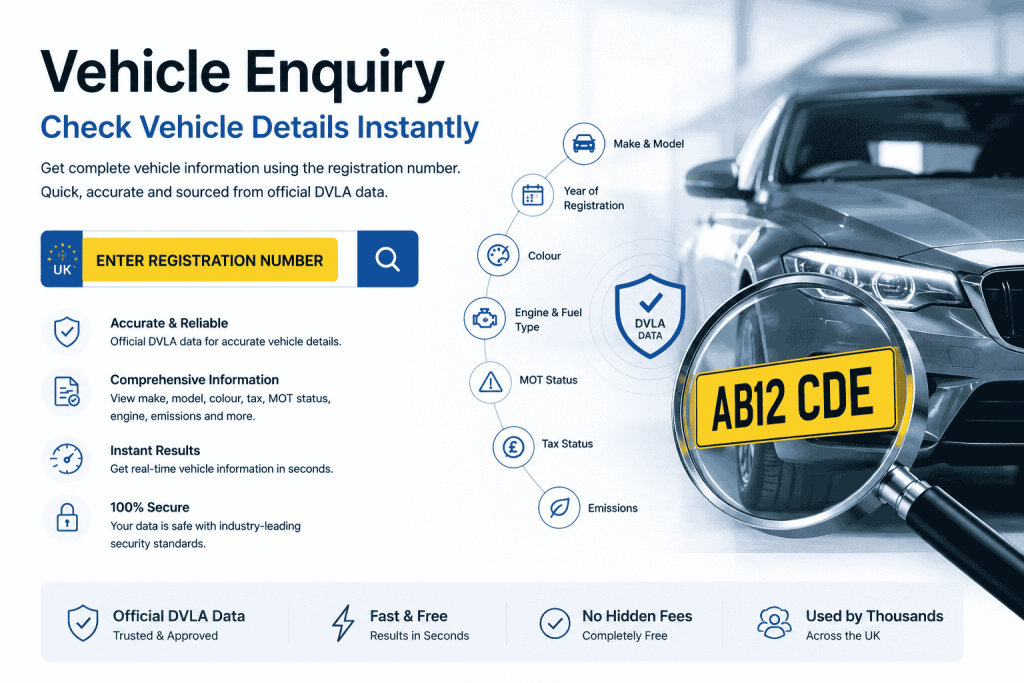
How to Run a Free DVLA Vehicle Enquiry:-
To run a free DVLA vehicle enquiry, enter the UK registration number into the search bar at the top of this page and press the button. Within seconds, you will see the vehicle’s make, model, colour, fuel type, engine size, CO₂ emissions and registration details, drawn directly from official DVLA records. No account or payment is required.
The process works for any UK-registered vehicle and takes only a moment:
Step 1: Find the number plate. Read it from the front or rear of the vehicle, or from the V5C logbook. UK plates follow the AB12 CDE format.
Step 2: Enter the registration. Type it into the search box above. Spaces and letter case do not matter, because the tool formats the input automatically.
Step 3: Press the button. The system queries the DVLA vehicle enquiry service in real time and returns the official record.
Step 4: Review the data. You will see the full specification and registration details laid out clearly on a single screen.
Why Run a DVLA Vehicle Enquiry?
People run a vehicle enquiry to verify a vehicle’s identity, confirm a seller’s description, check emissions and tax-band data, and make sure the car on the forecourt genuinely matches its paperwork. Because the data comes straight from the official register, it is one of the most reliable free checks available before buying, insuring or taxing a vehicle.
Specifically, the most common reasons UK motorists use the tool include:
- Verifying a used-car advert. Cross-check the make, model, colour and engine size against what the seller claims. Any mismatch is a reason to ask questions.
- Checking clean-air-zone liability. Use the fuel type, CO₂ and Euro standard to work out whether the vehicle faces ULEZ, CAZ or congestion charges where you live or drive.
- Confirming details for insurance. Insurers ask for accurate vehicle data; pulling the official record helps you quote correctly and avoid invalidating a policy through an honest mistake.
- Identifying a vehicle from the plate alone. If you only have a registration number, an enquiry tells you exactly what the vehicle is.
- Spotting identity discrepancies. A colour-change record or a make that differs from the advert can be an early warning sign worth investigating.
Furthermore, because the enquiry is free and instant, it costs nothing to run as a first step before committing time to viewing a vehicle in person.
DVLA Vehicle Enquiry vs MOT Check: What's the Difference?
A DVLA vehicle enquiry tells you what a vehicle is, its make, model, fuel type, engine size and registration data. An MOT check tells you whether a vehicle is roadworthy and legal, covering test results, advisories and expiry. The two answer different questions, and used together they give a complete picture before you buy.
Therefore, to make the distinction clear:
| Question you're asking | Use this |
|---|---|
| "What exactly is this vehicle?" | DVLA vehicle enquiry (this page) |
| "Has it passed its MOT, and when does it expire?" | MOT check / homepage |
| "How has it been maintained over the years?" | MOT history check |
| "Is it taxed right now?" | MOT check (includes tax status) |
In practice, a thorough used-car buyer runs all three. The vehicle enquiry confirms identity, the MOT check confirms legality, and the MOT history reveals the maintenance story. Consequently, combining them turns a few seconds of free searching into genuine protection against a poor purchase.
Understanding Your DVLA Vehicle Data:-
Reading a DVLA vehicle enquiry result is straightforward once you know what each field means in practice. Below is a plain-English guide to interpreting the data and spotting anything that does not add up.
Cross-Checking Against the V5C Logbook
The V5C (the registration certificate, often called the logbook) should match the DVLA enquiry exactly. Therefore, when viewing a used car, compare the make, colour and engine details on the V5C against the official record. A mismatch is a serious red flag and warrants stepping back from the purchase until it is explained.
What a Colour-Change Record Tells You
Because keepers must legally report colour changes, the DVLA holds this history. A recently changed colour is not automatically suspicious, since respraying is common and legitimate. However, combined with other warning signs, it is worth asking the seller about, as it can occasionally relate to past accident damage.
Using Emissions Data for Clean-Air Zones
The CO₂ figure and Euro standard determine clean-air-zone charges. For example, most petrol cars meeting Euro 4 and diesels meeting Euro 6 are exempt from the London ULEZ charge. Checking these values before you buy, therefore, helps you avoid an unexpected daily charge if you drive into a zoned city. For the definitive rules, consult the official Gov.uk clean air zone guidance.
Verifying Age and Registration
Compare the year of manufacture with the first registration date. Usually they are close. A noticeable gap may indicate the vehicle was registered some time after it was built, which affects its effective age and resale value.
Is the DVLA Vehicle Enquiry Free and Legal to Use?
Yes. The DVLA vehicle enquiry is completely free and entirely legal to use. The vehicle specification data it returns is published by the DVLA as open data, which means it is publicly available to anyone with the registration number. You do not need to be the registered keeper, and the keeper is not notified.
It is worth being clear about what this data does and does not include. The public enquiry covers the vehicle’s specification and registration details. It does not include the name or address of the registered keeper, which counts as protected personal information and stays off-limits to the general public. Anyone needing keeper details must go through the DVLA’s formal, reason-restricted process under separate legislation.
In other words, you can freely confirm what a vehicle is, but you cannot freely find out who owns it. That distinction protects everyone’s privacy, including yours.
Run Your Free DVLA Vehicle Enquiry Now:
Confirming a vehicle’s official details takes only a few seconds and costs nothing. Enter any UK registration number into the search bar above to see the make, model, colour, fuel type, engine size, CO₂ emissions and registration data straight from DVLA records. There is no signup and no limit on how many vehicles you can check.